
Haryana Police Photo Text and Date Tool
- Upload photo 📸
- Enter Name
- Select Date of Photo
- Automatically adds text on the photo like:
NAME: Rahul Kumar | DATE: 2026-01-15 - Download the final image in one click
Haryana Police Photo Text Tool
Haryana Police recruitment forms often require candidates to upload a recent passport-size photograph with the candidate’s NAME and DATE printed clearly on the photo. Many aspirants face rejection or technical issues simply because the photo format is incorrect.
To solve this problem, we have created a free Haryana Police Photo Name Date Tool that helps candidates easily add their Name and Date on photo exactly as required — without Photoshop, mobile apps, or cyber cafés.
✅ What is Haryana Police Photo Name Date Tool?
The Haryana Police Photo Name Date Tool is a browser-based online tool that allows candidates to:
- Upload their passport-size photo
- Enter their full name
- Select the date of photograph
- Automatically generate a photo with:
- White strip at the bottom
- Name in bold capital letters
- Date in DD-MM-YYYY format
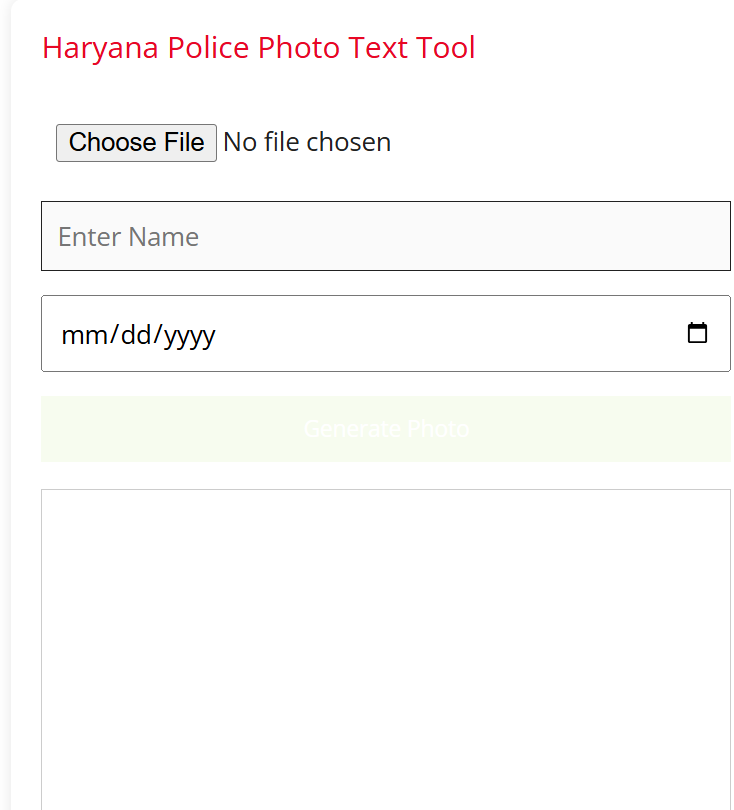
The final image is ready for upload in Haryana Police application forms.
🔍 Why Name & Date on Photo is Mandatory in Haryana Police Forms
During Haryana Police Constable, SI, and other recruitment processes, the official notification clearly mentions:
“Candidate must upload a recent passport-size photograph with Name and Date mentioned on it.”
If the photo:
- Does not contain name/date
- Has unclear or handwritten text
- Uses wrong date format
👉 The application may be rejected during scrutiny.
This tool ensures 100% compliance with photo instructions.
🛠️ How to Use Haryana Police Photo Tool (Step-by-Step)
Using this tool is extremely simple:
Step 1: Upload Photo
- Upload your recent passport-size photograph (JPG / PNG)
Step 2: Enter Name
- Enter your full name (as per application form)
- The tool automatically converts it to UPPERCASE
Step 3: Select Date
- Choose the date when the photo was taken
- The date is auto-formatted to DD-MM-YYYY
Step 4: Generate Photo
- Click on Generate Photo
- Your photo with white strip, name, and date appears instantly
Step 5: Download
- Click Download Photo
- Upload it directly to the Haryana Police form
⭐ Key Features of This Tool
- ✔ 100% Free to use
- ✔ No registration or login required
- ✔ Works on mobile & desktop
- ✔ No photo stored on server (privacy safe)
- ✔ Exact Haryana Police–style format
- ✔ Bold capital name
- ✔ Correct date format
📱 Works Perfectly on Mobile
Most aspirants fill Haryana Police forms using mobile phones. This tool is fully mobile responsive and supports:
- Mobile gallery upload
- Camera photo upload
- One-click download
No need to visit a shop or cyber café.
❓ Common Problems This Tool Solves
- ❌ Photo rejected due to missing name/date
- ❌ Incorrect date format
- ❌ Poor alignment of text
- ❌ Photoshop or editing confusion
- ❌ Extra charges at cyber cafés
This tool solves all these issues instantly.
🔐 Is This Tool Safe?
Yes. Completely safe.
- Photos are processed inside your browser
- No image is uploaded to any server
- No data is stored or shared
Your privacy is fully protected.
📌 Who Should Use This Tool?
- Haryana Police Constable aspirants
- Haryana Police SI candidates
- CET candidates applying for police posts
- Any candidate asked to upload photo with name & date
🔗 Final Words
A small mistake in photograph upload can cost you your Haryana Police dream. Use this Haryana Police Photo Name Date Tool to generate a perfect, error-free photo in just 1 minute.
👉 Bookmark this page and share it with fellow aspirants so no one faces rejection due to photo errors.
Best of luck for Haryana Police Recruitment! 🚔
About The Author
